

Upgrade and downgrade people
Turn a Light Member into a Full Member who can log in, or downgrade a Full Member to a Light Member, at any time.
On this page
Upgrade a Light Member when they need to log in, for example to track their own time or request time off. Downgrade a Full Member when they no longer need access but should stay in your schedule and timesheets.
Before you start
- You need the Owner or Manager role.
- An upgrade needs a free Full Member seat. If none is free, Teamdeck offers to buy more seats (Owners only).
- Downgrading is available on the Business Plan. The Startup Plan has no Light Members.
Upgrade a Light Member to a Full Member
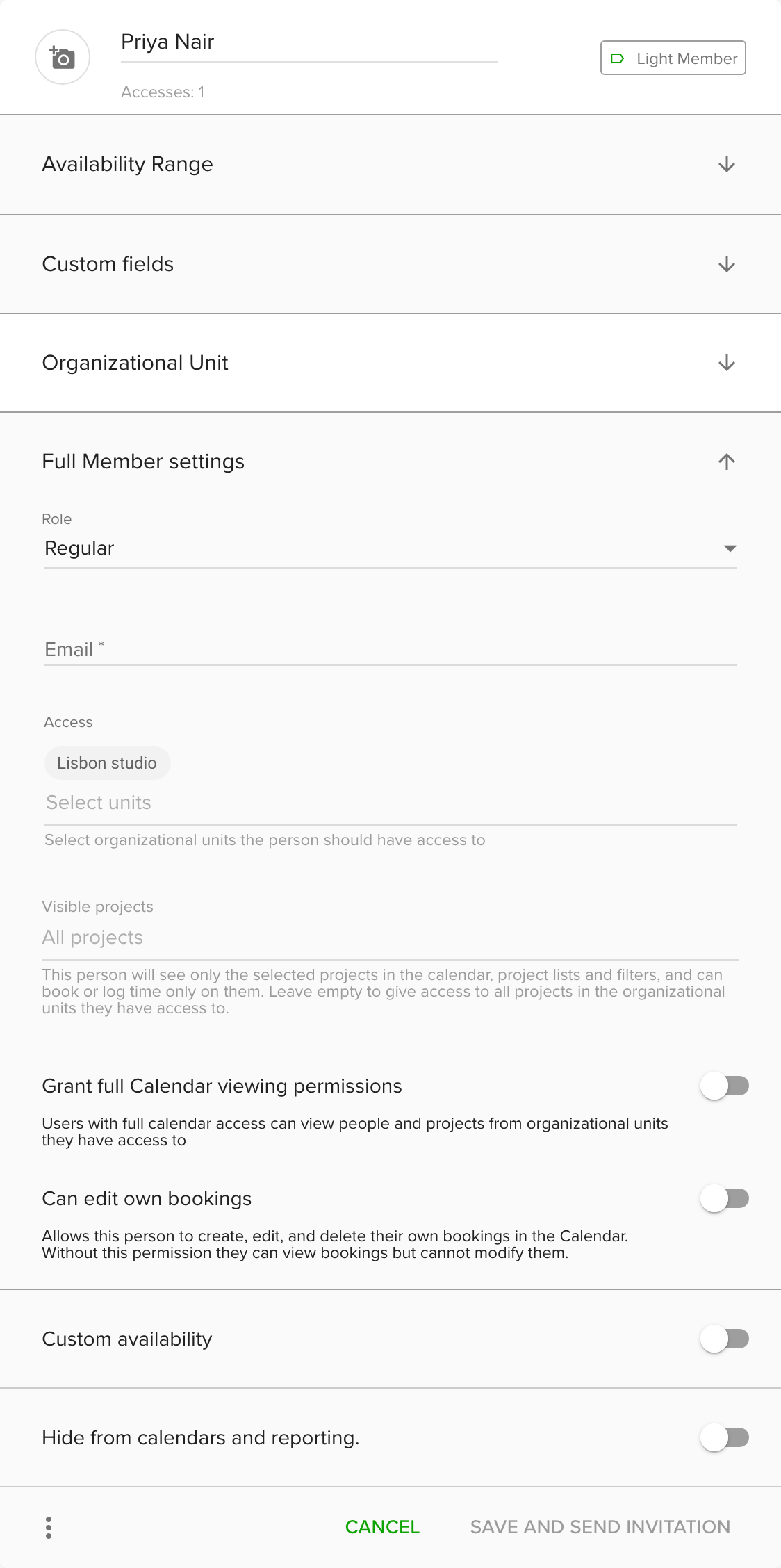
- Go to Settings and open People.
- Click the Light Member you want to upgrade.
- Click the Upgrade ... to Full Member section. The Full Member settings open.
- Choose a Role: Owner, Manager or Regular. See People and roles for what each can do.
- Enter the person's Email. The invitation goes to this address, and it cannot be changed once set.
- Optional: adjust Access, Visible projects and the booking permissions.
- Optional: switch on Custom availability if the person works part time and should set their own working hours.
- Click Save and send invitation.
The person gets an email and activates their account. Until they accept, their card shows Pending Invitation.
Downgrade a Full Member to a Light Member
- Go to Settings and open People.
- Click the Full Member.
- Click the three dots at the bottom of their form and choose Downgrade.
- Read the message and confirm.
The person can no longer log in, but stays in your calendar and timesheets. Their login and any open invitations are removed, and they are removed from shared reports. Light Members cannot use integrations.
Tips
- To resend an invitation that was missed, open the person's three-dots menu and choose Resend invitation.
- If someone has left, deactivate or remove them instead of downgrading.
Troubleshooting
- I do not see Downgrade. Downgrading works on the Business Plan only, and only for Full Members.
- I cannot upgrade, because there is no free seat. Buy more seats on the Business Plan, or downgrade or remove someone else first. Only Owners can buy seats.