

Upgrade or downgrade your plan
Move from the Startup Plan to the Business Plan, switch to annual billing, or go back to the free plan.
On this page
Upgrade to the Business Plan when you need more than 2 Full Members, Light Members, integrations or the API. Downgrade to the free Startup Plan when you no longer need them.
Before you start
- You need the Owner role. Only Owners can change the plan.
- Billing details and a card are needed before a free trial ends. See Add or update your payment method.
Upgrade to the Business Plan
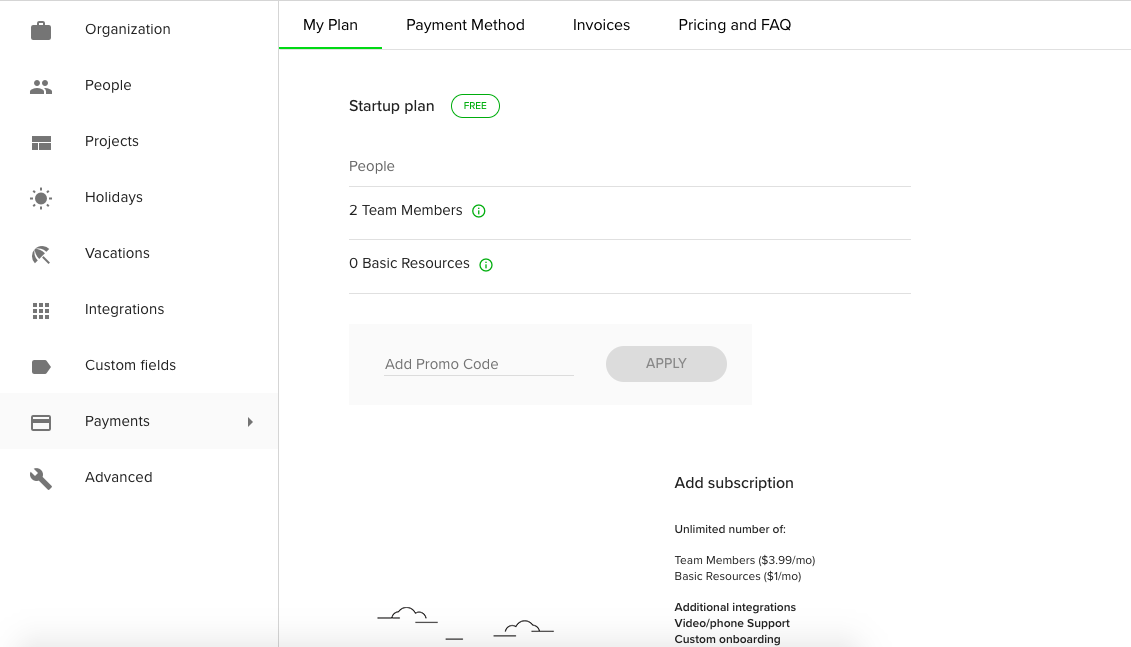
- Go to Settings and open Payments. The My Plan tab shows your current plan.
- In Add subscription, choose Monthly or Annual and click Choose plan.
- Enter your billing details and card when asked.
The first time your organization upgrades, it starts with a free trial. After that, you pay from the moment you upgrade. On a monthly plan the bill follows the number of Full Members and Light Members, and people added during the month are charged pro rata.
Switch from monthly to annual
- Open Settings > Payments > My Plan.
- Click Switch to Annual Subscription and then Preview Annual Subscription to see what the switch costs.
- Confirm the switch.
With an annual plan you buy a set number of seats. Click Edit seats to raise the count. You cannot go below the seats in use.
Downgrade to the Startup Plan

- Open Settings > Payments > My Plan.
- In Downgrade to Startup plan, click the downgrade link.
- Follow the instructions. Teamdeck tells you what to change first.
The free plan allows up to 2 Full Members and no Light Members, so reduce your Full Members and remove all Light Members to finish the downgrade. Downgrading during the free trial ends the trial, and you cannot restart it. After a downgrade request you can undo it until it takes effect.
Cancelling a monthly subscription takes effect at the end of the current billing period, or immediately during the trial.
Tips
- Downgrade only after you have removed extra people. Until your organization fits the free plan, it can be locked.
- Seats that come from a coupon may block a downgrade. Contact support if the downgrade is refused.
Troubleshooting
- My organization is locked. The number of people is higher than the plan allows, or a payment failed. Reduce the number of people or update your card on the Payment Method tab.
- I do not see Payments in Settings. Only the Owner can open it.